Note: This project dates back to 2020, before the generative AI era. We worked mostly with machine learning and NLP.
Context & Role
CitizenLab is a civic engagement platform for local governments. Cities use it to collect inputs from citizens on specific projects and then report back to officials to decide what to do next.
Main persona
- City administrator (35–60, not very tech-savvy)
- Works in a specific department and reports to the head of civic participation or the mayor
I led the Insights Processing project as the product designer, from early scoping and discovery through solution definition and delivery with engineering.
Problem
Drive more revenue through acquisition and upsell of a premium plan
Processing inputs is painful: 1.5 weeks per project, done in Excel, hard to collaborate
Thousands of contributions to analyse per project
Manual summarisation into reports for the mayor
Work happens outside the platform (Excel, manual processes)
No collaboration features for team review
The 'last mile' from inputs to insights is unsupported
The platform helped collect inputs, but the "last mile" of turning them into understandable insights was happening outside CitizenLab, in spreadsheets and manual processes.
Approach
I framed the project as a discovery-heavy, multi-phase effort rather than a single feature.
Phase 1: Scoping
What I did:
- UX research on current workarounds — looked at existing Excel sheets and manual boards, joined customer interviews and documented how they processed inputs
- Worked closely with the PM to understand different needs and constraints
- Explored widely to understand the impact on IA, user flows and roles
- Isolated key components (information architecture, user flows, permissions) to surface risks and opportunities
- Exposed early explorations to the team to align on direction
Outcome: A shared understanding that the biggest opportunity was in supporting the journey from thousands of raw inputs to a handful of structured insights and a final report.
Phase 2: Solution Discovery
With the problem framed, we went deeper into the solution space.
Activities:
- Co-creation workshops with internal teams to explore possible workflows
- Internal validation sessions across Product, Government Success, and Sales
We mapped the end-to-end journey for a typical project, and scoped what we could tackle now vs later:
7,500 inputs
All raw inputs from a project, starting with ideas and survey answers.
20-40 groups
Classify inputs into groups automatically and verify manually to ensure optimal results.
Group summary
Summarise the different extracted groups in written content so you can copy paste it into your PDF.
Report
A report containing key conclusions of a given project.
7,500 inputs
All raw inputs from a project, starting with ideas and survey answers.
20-40 groups
Classify inputs into groups automatically and verify manually to ensure optimal results.
Group summary
Summarise the different extracted groups in written content so you can copy paste it into your PDF.
Report
A report containing key conclusions of a given project.
Based on this mapping, we scoped:
- Now: automatic classification of inputs into groups
- Later: automatic summarisation and report support, once we had more trust and maturity in the system
This "now/later" framing helped keep the project shippable while still pointing to a longer-term vision.
Key Learnings from Discovery
From Customers
-
Trust — City admins did not fully trust NLP technology. They needed to see and verify what the system was doing.
-
Flexibility — Classification needs change per project: scope, methods and local context differ. A single rigid taxonomy wouldn't work.
-
Discovery as part of the work — Admins don't always know at the start how they want to classify content. Reading through inputs once actually helps them understand their own data.
From the Internal Team
-
CEO — The tool needs to show some "magic" at first sight. Customers should see value with as little setup as possible.
-
Engineering — The tech is not 100% reliable. Manual verification remains necessary.
-
Gov Success — Admins may not understand what to do next. We must guide them through the process.
Design Constraints
These learnings created three non-negotiable constraints for the design:
- The system must be transparent and verifiable, not a black box
- It must be flexible enough to adapt to different projects
- It must guide non-expert users through a complex workflow
Discovery Output
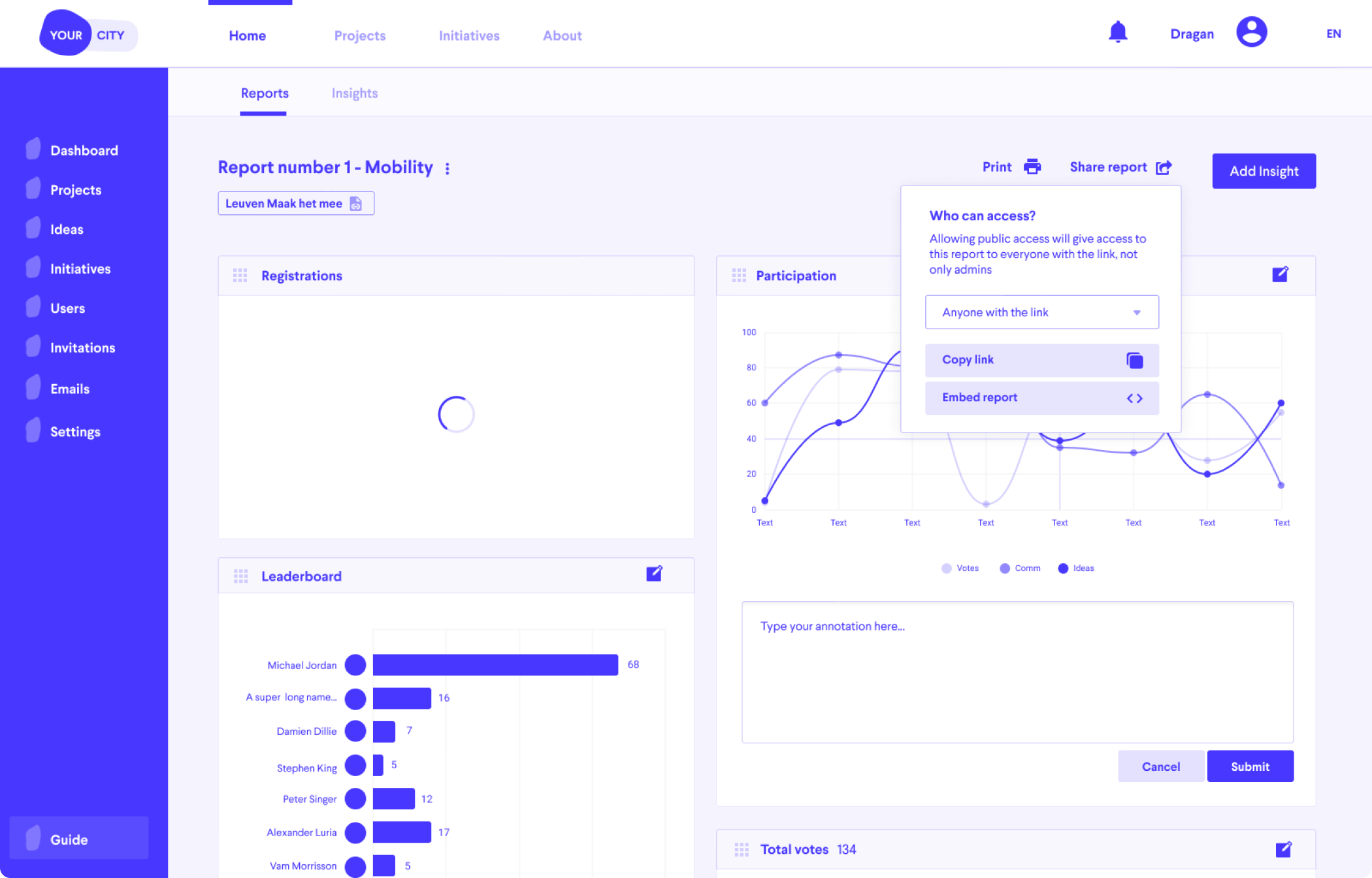
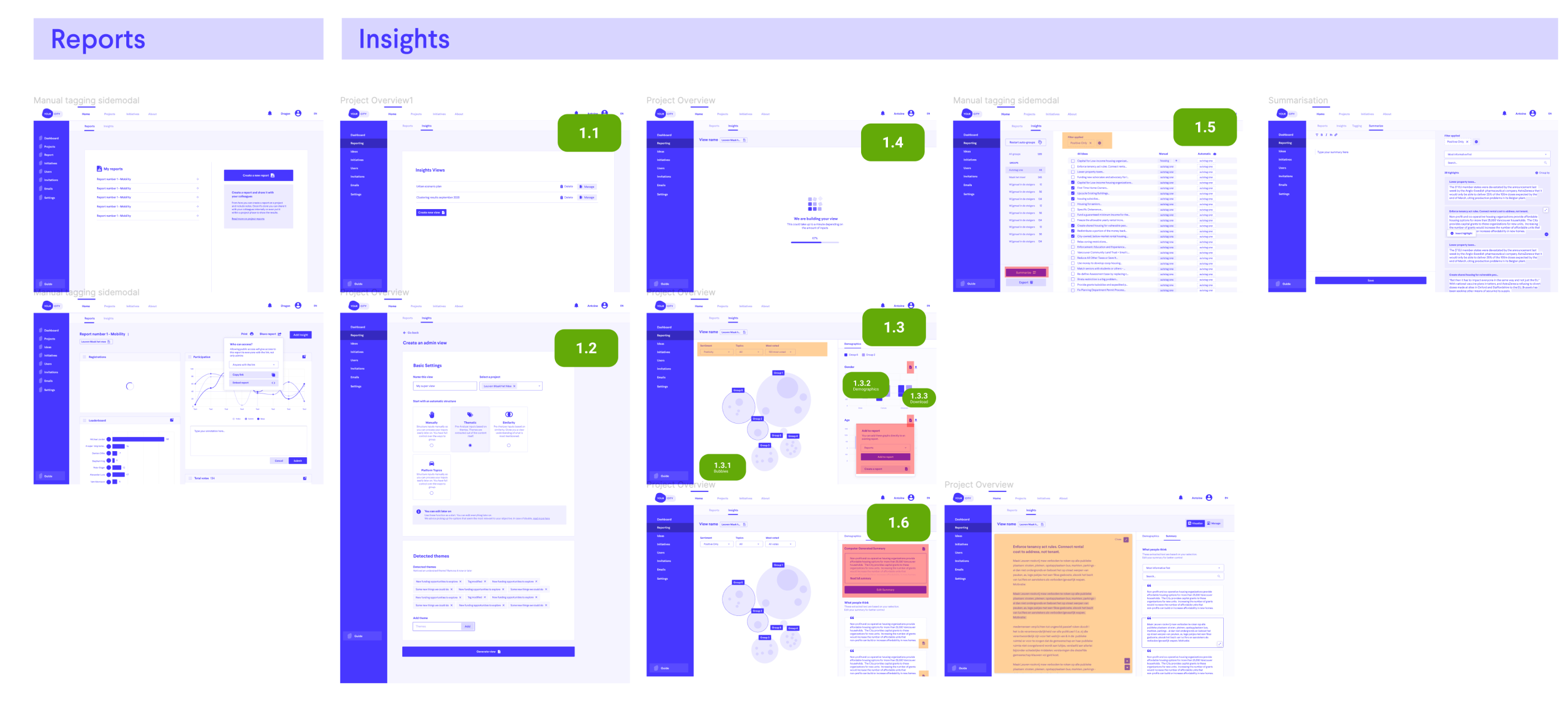
The tangible output of the discovery phase was:
- A prioritised vision for Insights Processing
- Scoped into iterations (1.1–1.6 etc.) that could be designed and delivered in detail
- Clear mapping of each iteration to:
- Customer pain points
- Internal constraints (tech, support, sales)
- Level of automation vs manual control
This gave the team a shared north star and a realistic path to get there.
Shaping the Product Direction
Based on this, I defined a phased vision:
- Automatic classification (MVP) — Help admins move from thousands of inputs to manageable thematic groups.
- Guided summarisation — Support them in writing group summaries and conclusions.
- Report support — Make it easy to turn those summaries into a report they can share.
This vision was captured in a prioritised, iterative roadmap, used as the main outcome of discovery. Each iteration clearly indicated:
- Which part of the journey it supported (inputs → groups → summary → report)
- How much automation vs manual control it introduced
Solution – Key Design Decisions
1. Visualise and Browse Inputs
Network visualization of citizen input topics showing natural clusters
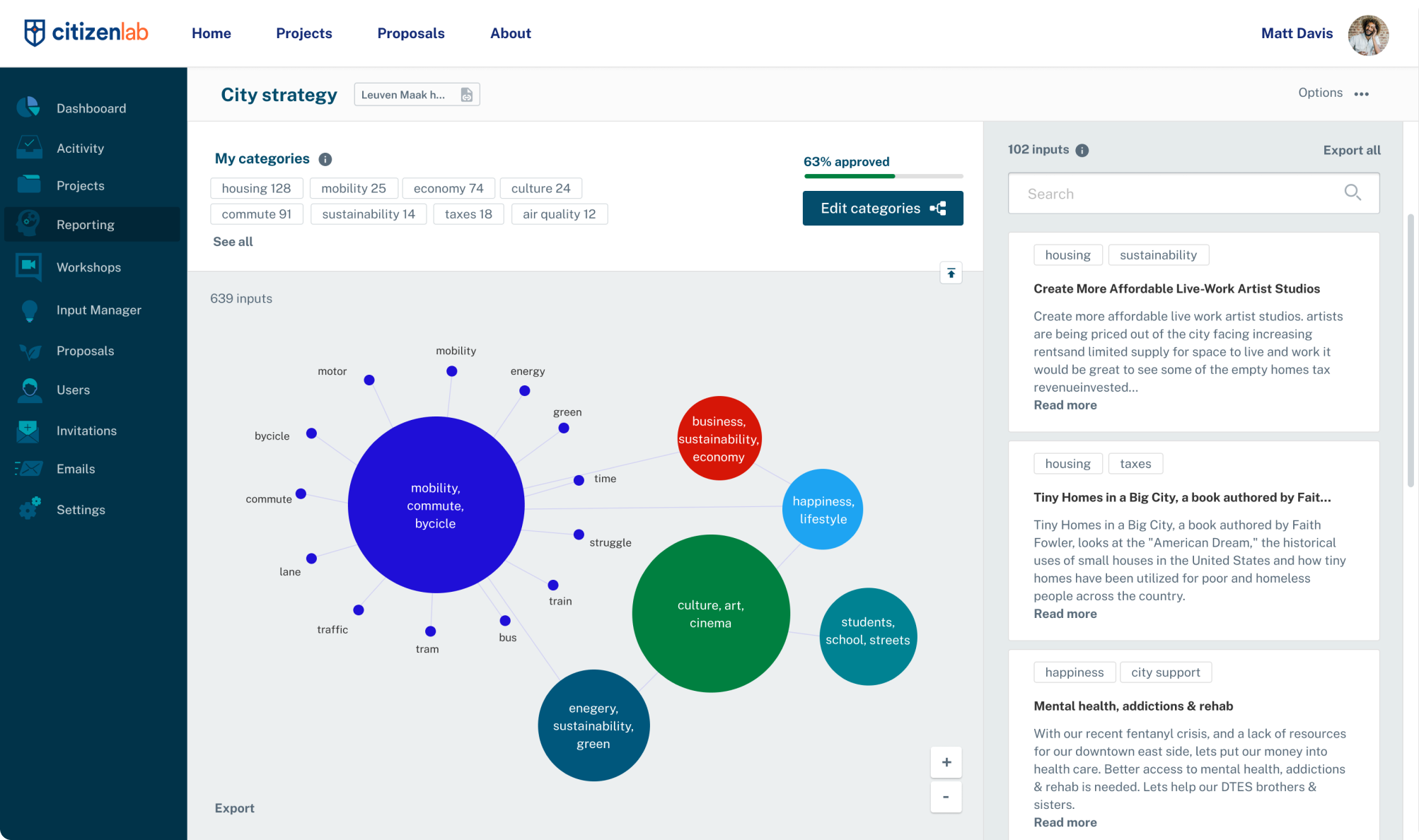
Iteration 1 introduced a dedicated "Insights" view where admins can:
- Visualise what participants are talking about
- Use existing structures or automatically detected categories
- See all raw inputs in a right-hand column
Why (based on discovery):
- Gives an immediate sense of "magic" via visualisation — addressing the CEO's requirement
- Keeps raw data always visible to support trust and verification — addressing the trust constraint
2. Search-Driven Category Creation

Iteration 2 allowed admins to:
- Create a category from a query (e.g. "commute")
- Combine multiple queries
- Rework the underlying visualisation
Why:
- Respects the insight that admins don't always know their taxonomy upfront
- Lets them explore first, then promote patterns into categories when ready
- Balances automation with human control over meaning
3. Verifying and Editing Categories
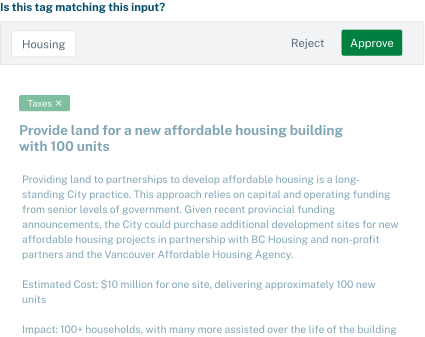
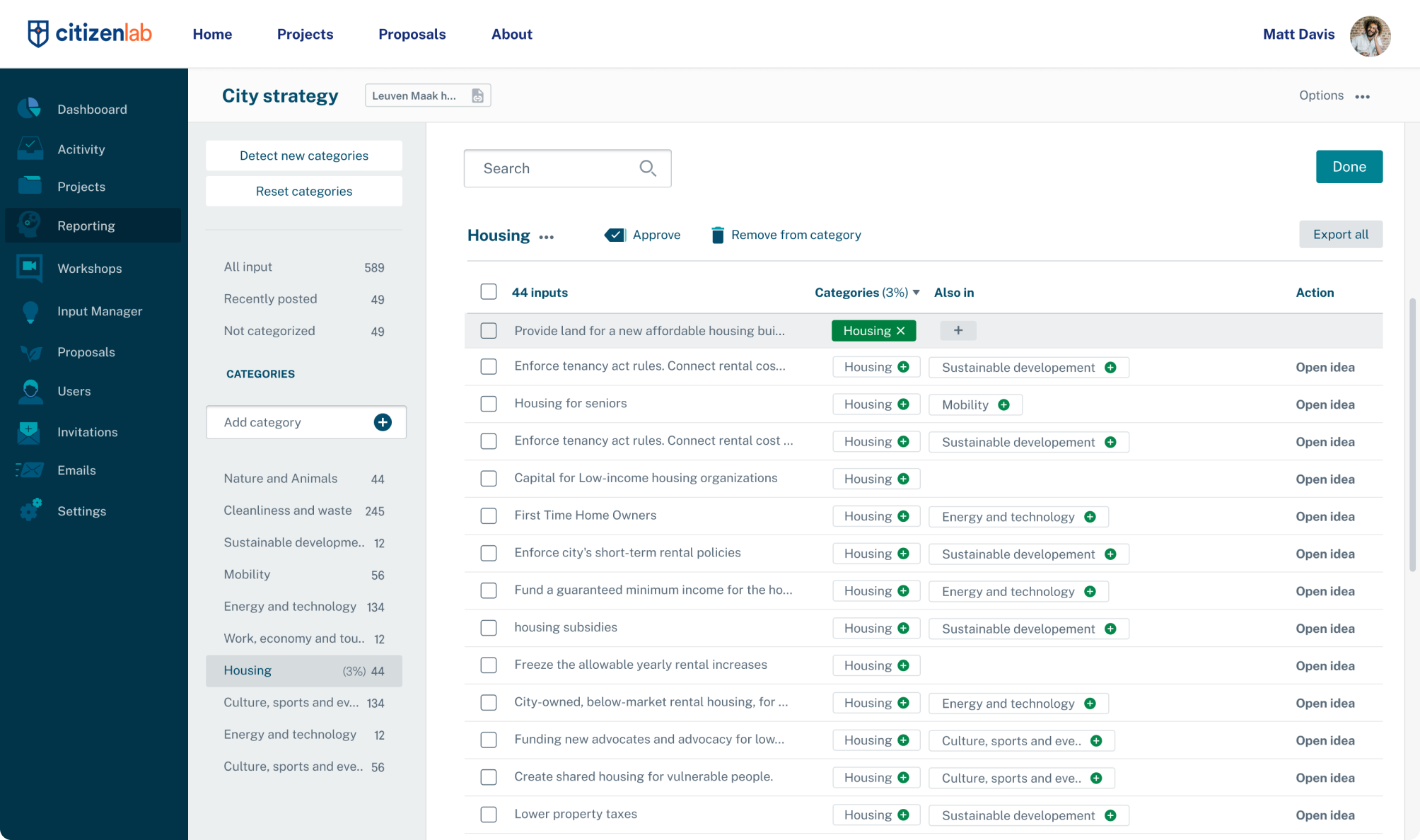
A dedicated "Edit categories" flow where admins can:
- Verify automatic categorisation
- Approve, adjust or reject system suggestions
- Detect and adopt new categories
Why:
- Directly addresses the trust issue: admins can check and correct the AI
- Supports flexibility across different project scopes
- Aligns with engineering's requirement for manual verification
Reflection – My Contribution
Across this project, my contribution as a product designer was to:
-
Reframe the problem from "add NLP to CitizenLab" to:
"Help city admins turn thousands of citizen inputs into an explainable, shareable report, without leaving the platform."
-
Run and structure discovery:
- Investigate real workarounds (Excel, boards)
- Synthesise feedback from customers and internal teams
- Surface trust, flexibility and guidance as key themes
-
Translate learnings into a phased product strategy:
- "Now vs later" journey from inputs → groups → summaries → report
- Balanced automation with human oversight
-
Design flows that embody those constraints:
- Always-visible raw inputs
- Search-driven categories
- Explicit verification steps
What I'd Do Differently
Define measurable outcomes upfront. Our goal was essentially "something is better than nothing" — we wanted to provide any support for a workflow that previously had none. While that framing helped us ship, it wasn't rigorous enough.
Looking back, I should have pushed harder to define clear success metrics before starting: time saved per project, reduction in Excel usage, adoption rate of the new flow. Without these, it was harder to evaluate whether we'd actually solved the problem or just built a feature.